

LESSON 29 · Work with your screenplay
Translate your screenplay
Translate the screenplay into a separate document while preserving its element structure.
2:10 · 1080p · Captions available · Playback starts only when you choose Play.
Set the target
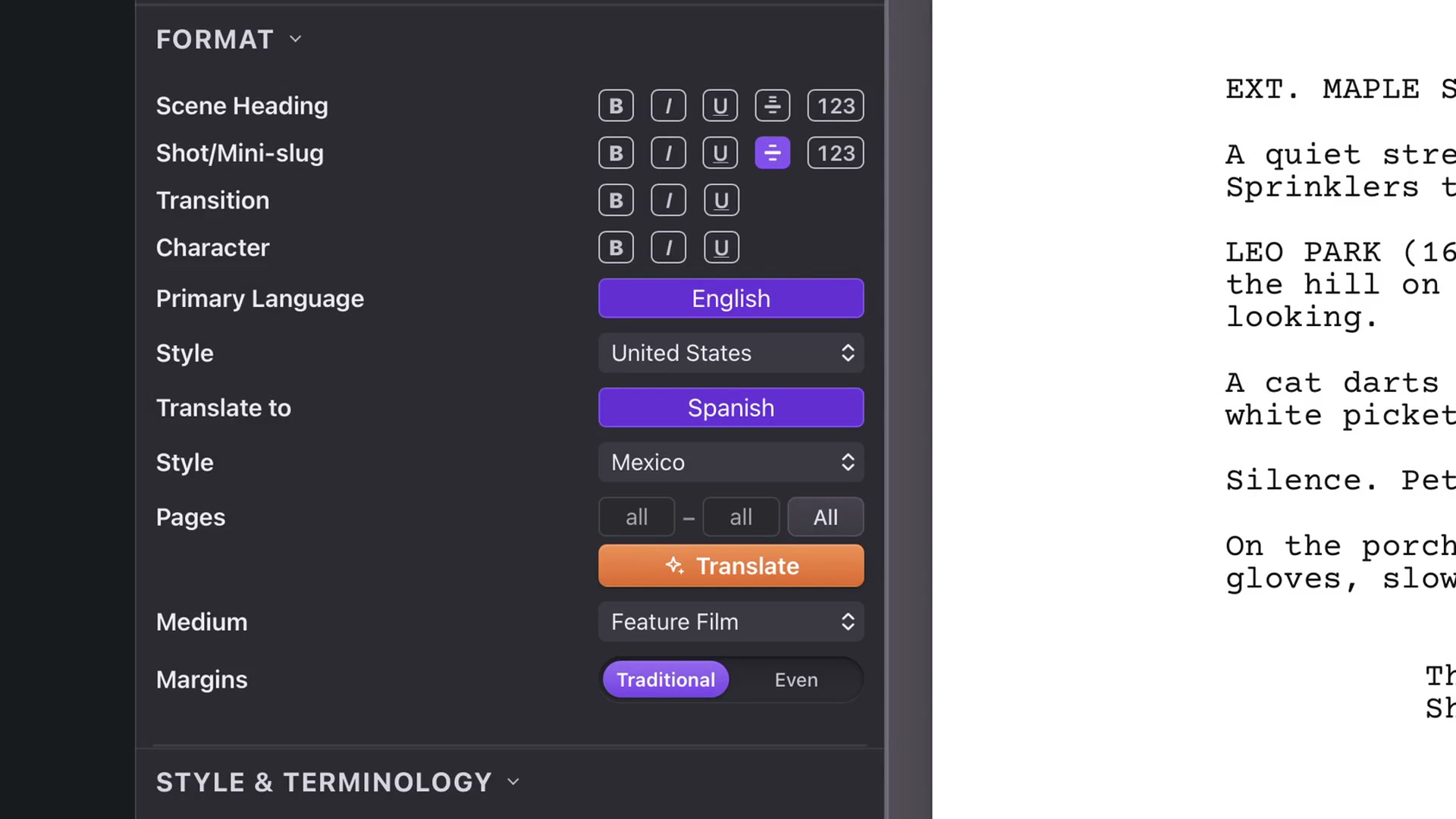
Open Format and find Translate to. This is separate from Primary Language and Style, which format the current document. Choose the target language and its regional style. The example uses Spanish with the Mexico profile.
Try a range
Use the page fields for a sample, or All for the whole screenplay. A small range lets you review the translation approach before undertaking a longer job. Click Translate and allow it to finish; longer material takes more time.
Choose follow-up work
After translation, an optional checklist offers work such as Story material or tagging. Select only what you want. You can cancel the checklist and inspect the translated screenplay first.
Review both documents
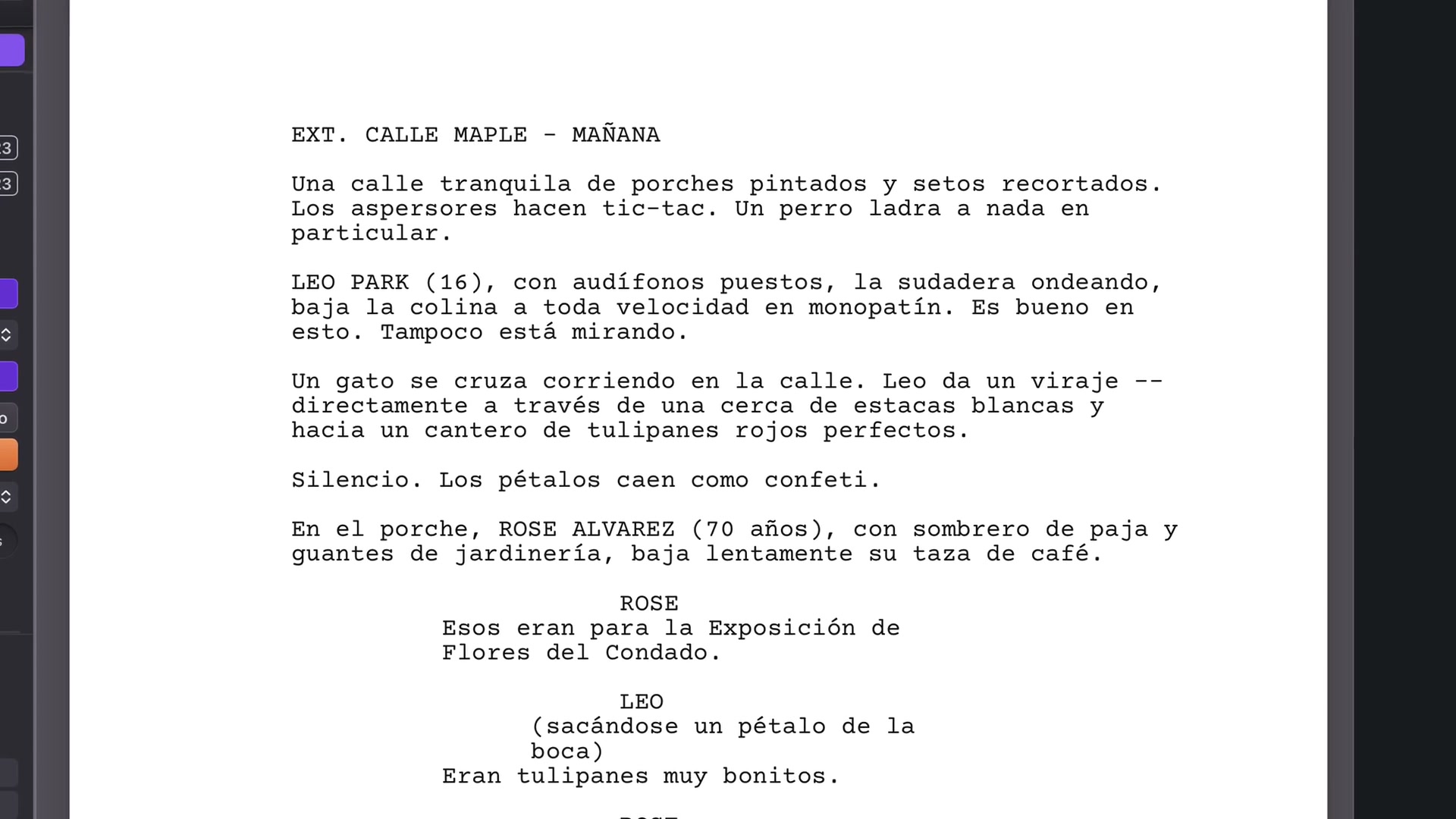
The translation opens in its own window. Scene headings, Action, Character, Parenthetical and Dialogue remain distinct elements. Line wrapping and word length differ between languages, so the translated page count may change.
Read the wording and inspect the layout before sharing. Your original remains in its own window and can be edited separately. Save the new project with a name that makes its language clear. The course demonstrates Free mode; Paid tries a stronger Gemini model first using your paid setup.