

LESSON 04 · Getting started
The top menu
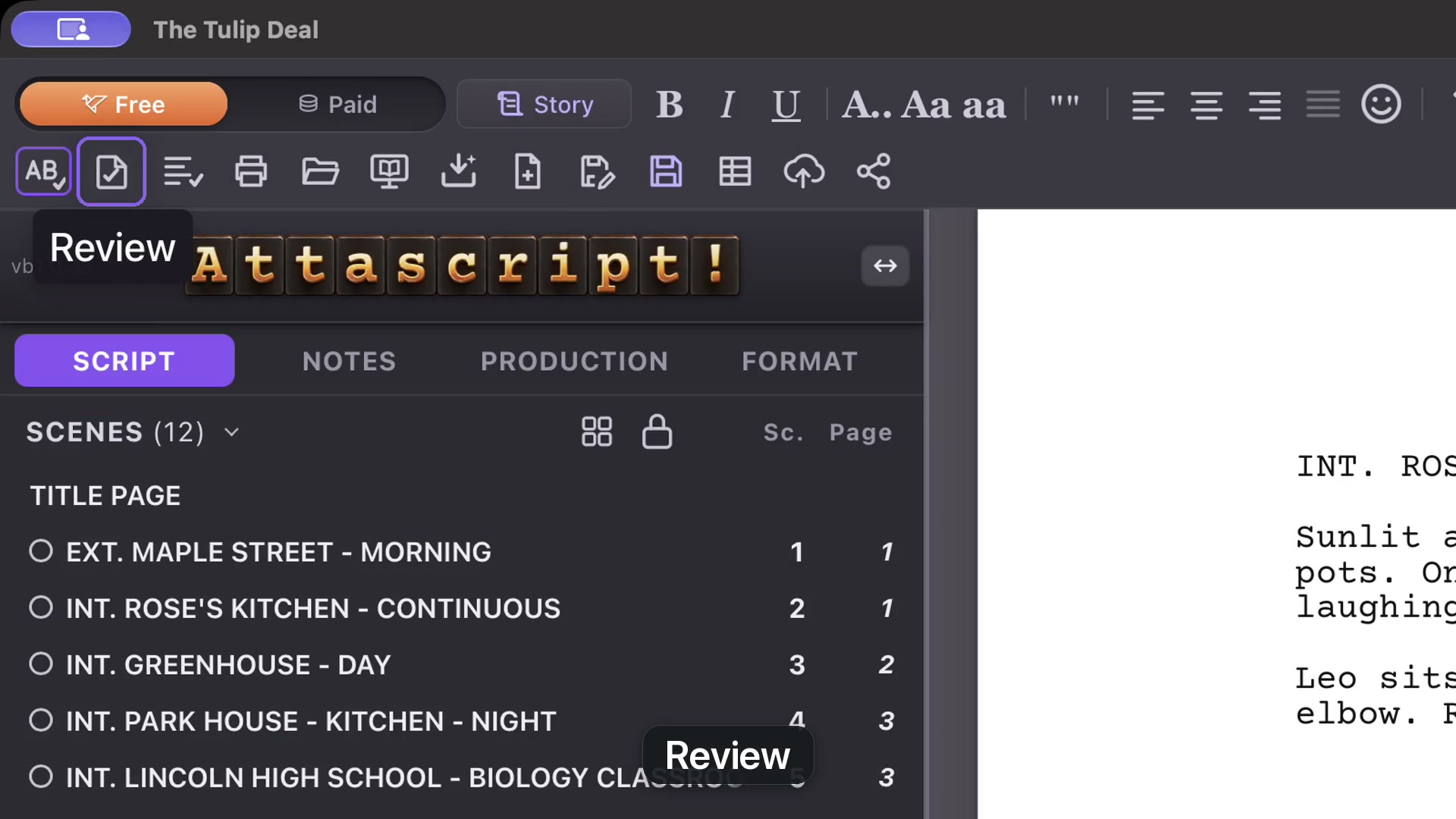
The two rows at the top bring writing, AI, review and delivery tools together. Use this chapter as a map.
2:17 · 1080p · Captions available · Playback starts only when you choose Play.
Writing and development
The AI mode control is orange for Free and teal for Paid. Story opens the development pages, from Logline through Pitch Deck. Bold, Italic and Underline style selected text; case controls change selected wording in an Action line.
Quotation-mark style follows your language’s choices. Alignment is useful on title and Story pages. Undo and Redo step through editing changes.
Voice, appearance and search
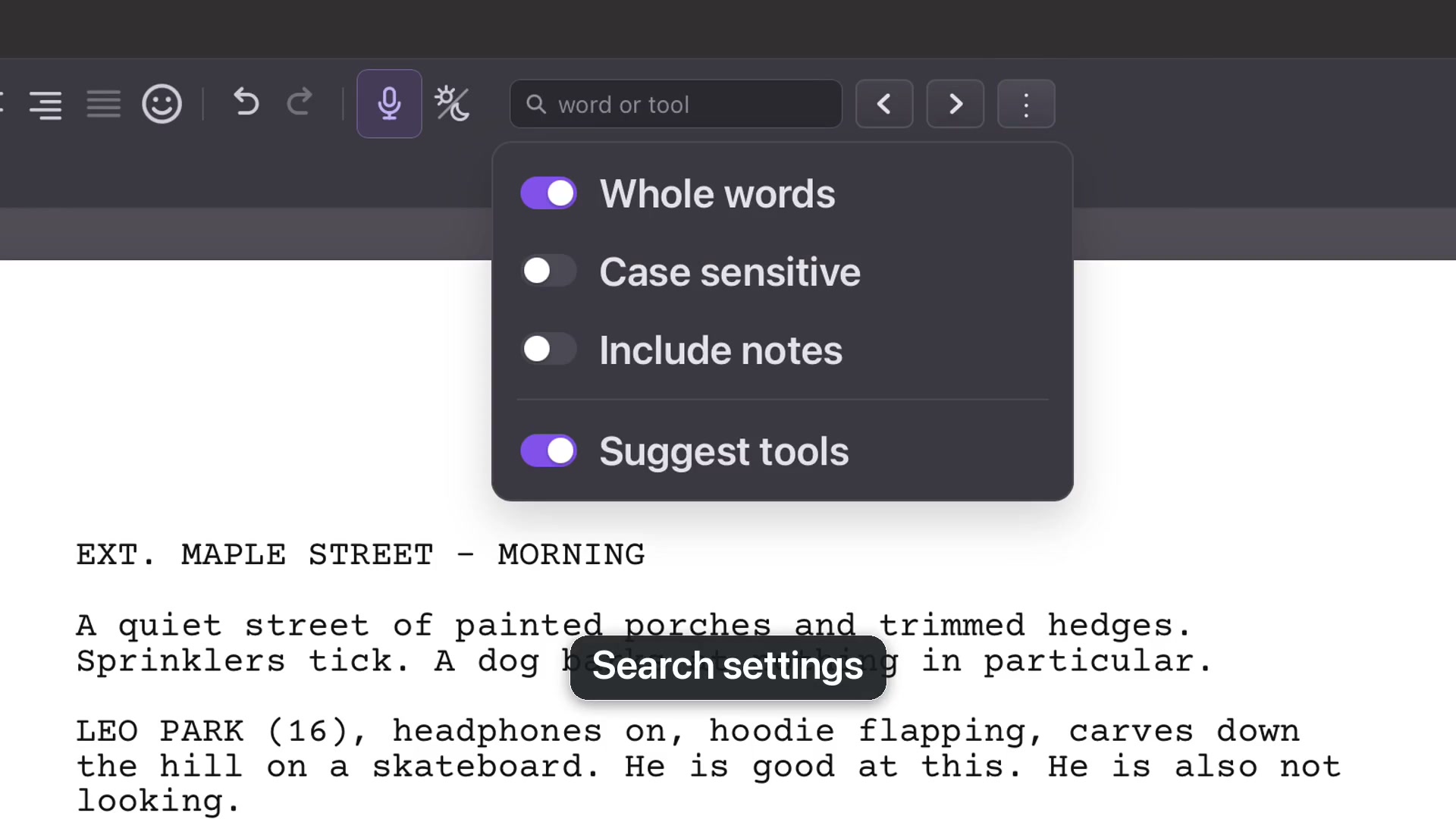
The microphone opens Voice Draft. The appearance control cycles Day, Mixed and Night. The search field finds words and, when Suggest tools is enabled, controls.
Open the three-dot Search settings to choose whole-word matching, case sensitivity and whether notes are included. A tool suggestion can take you straight to a control whose location you have forgotten.
Review and files
Spelling handles local flags and spelling review. Review tracks wording changes; Format Review checks screenplay conventions. They serve different purposes.
Print prepares a paper or PDF layout. Open loads an editable project or Final Draft script. Adapt develops material from another source; Import reads PDF or Word. New starts a screenplay. Save keeps the working project, while Save As creates another copy or an export.
Sharing and production
Export CSV produces script tables, with an option to collect them in an Excel workbook. Cloud backup copies the project into a synced folder you choose. Share prepares the delivery formats you select. Each has a later chapter with a complete example.