

LESSON 19 · Develop your story
Analysis
Use Analysis as another reader’s perspective on the draft, then turn useful observations into specific revision questions.
1:35 · 1080p · Captions available · Playback starts only when you choose Play.
Read the report
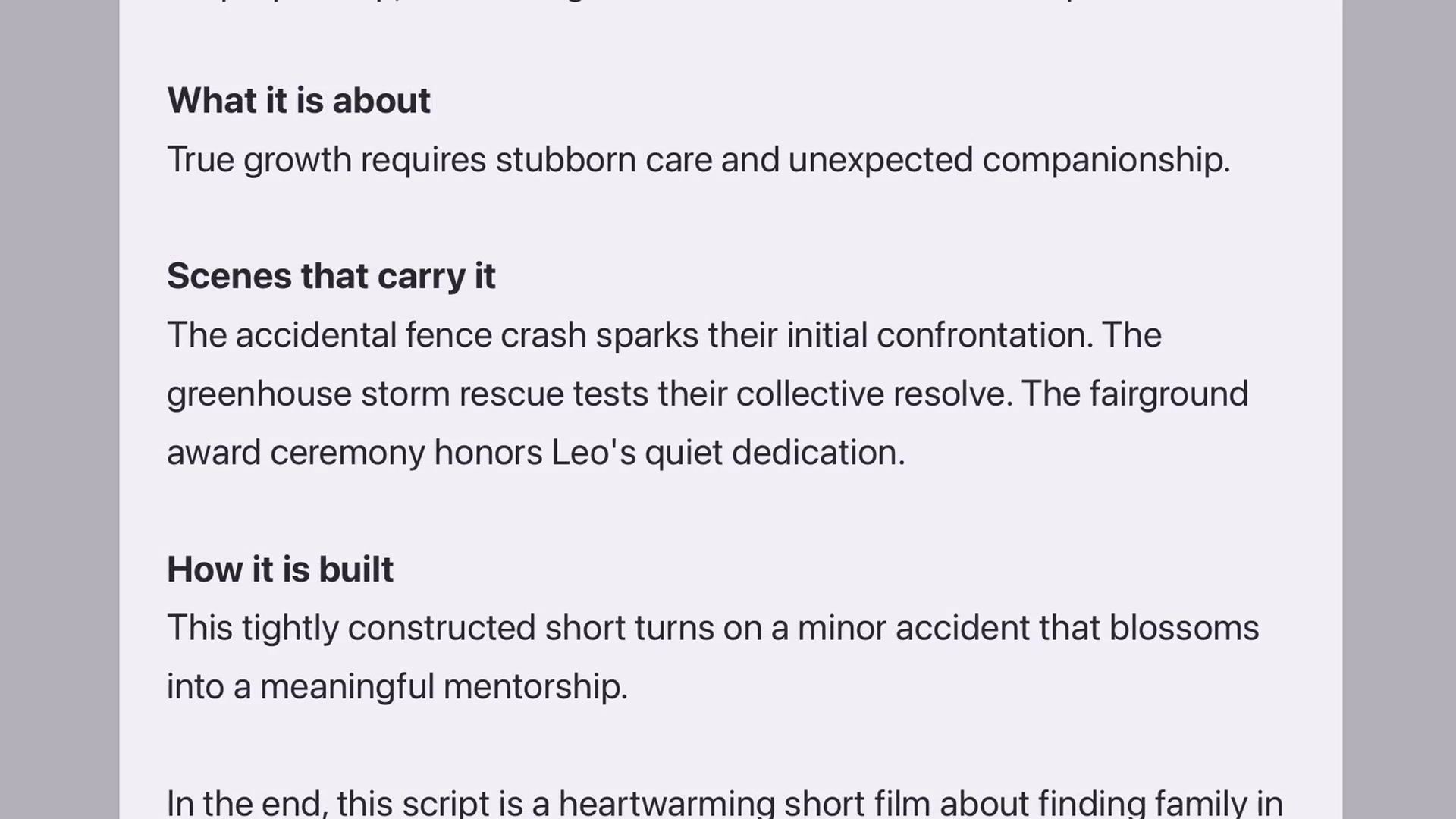
Open Story, choose Analysis and click Write. Start with the setting and the people: where the story lives, who drives it and what they want. Continue into what happens and what the story is about beneath the events.

Look at the turning points
Scenes that carry it identifies important moments. How it is built examines the story’s shape. In the course example, the crash, storm rescue and award ceremony carry the change in Leo’s relationship with Rose.
Ask a practical rewrite question
Translate a broad observation into something you can inspect on the page. Does the storm scene show Leo choosing to help, or merely paying a debt? Return to the screenplay and read the action that demonstrates that choice.
A report may point you toward a stronger beat, but the action and dialogue still need to make it work for the audience.
Keep your judgment
Save useful material and return to it after a revision. Accept what helps, question what does not, and retain responsibility for the final creative choices. Analysis is not a grade or an instruction to erase your own style.