

LESSON 31 · Work with your screenplay
Adapt a book or story
Develop a screenplay from a book, short story or existing script, then shape the result in your own voice.
1:52 · 1080p · Captions available · Playback starts only when you choose Play.
Choose the source and form
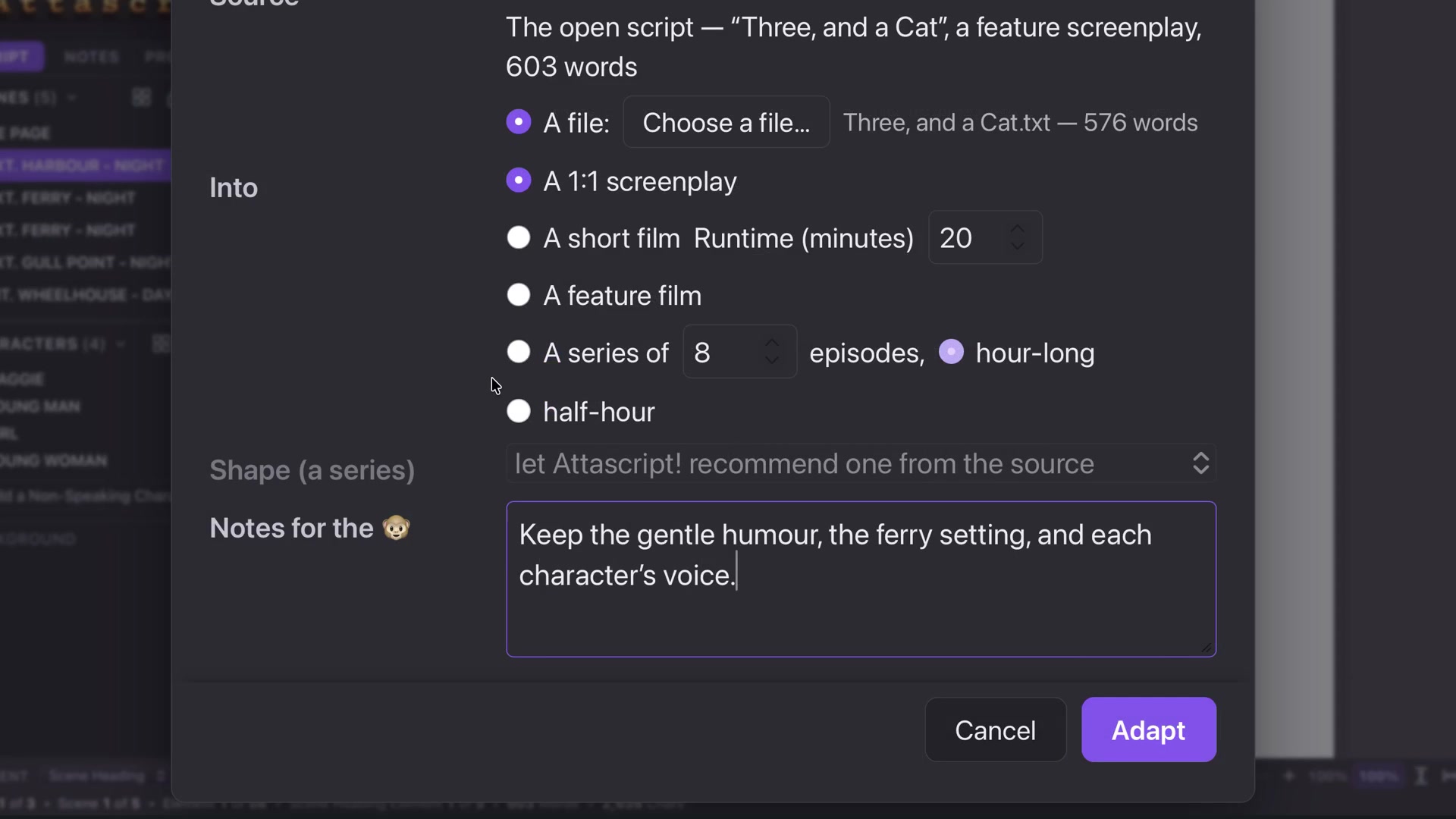
Open Adapt. Use the current project or select a source file. The course uses the original short story Three, and a Cat. Choose a short film, feature or series; the relevant runtime or episode controls appear.
A one-to-one screenplay route first builds a treatment that follows the source scenes and order, then writes screenplay scenes from that treatment and the original text.
Give useful direction
Use Notes for the Monkey to describe the tone, setting and character qualities to preserve. The example asks to retain gentle humor, the ferry setting and each character’s voice. Click Adapt when the source and choices are correct.
Pause and resume
The destination opens as a new document and the progress card shows its stage. Pause allows the current part to finish. For a longer break, save the destination with its checkpoint. Reopen that same project to resume. Keep the unfinished destination unchanged while relying on the checkpoint.
Review the adaptation
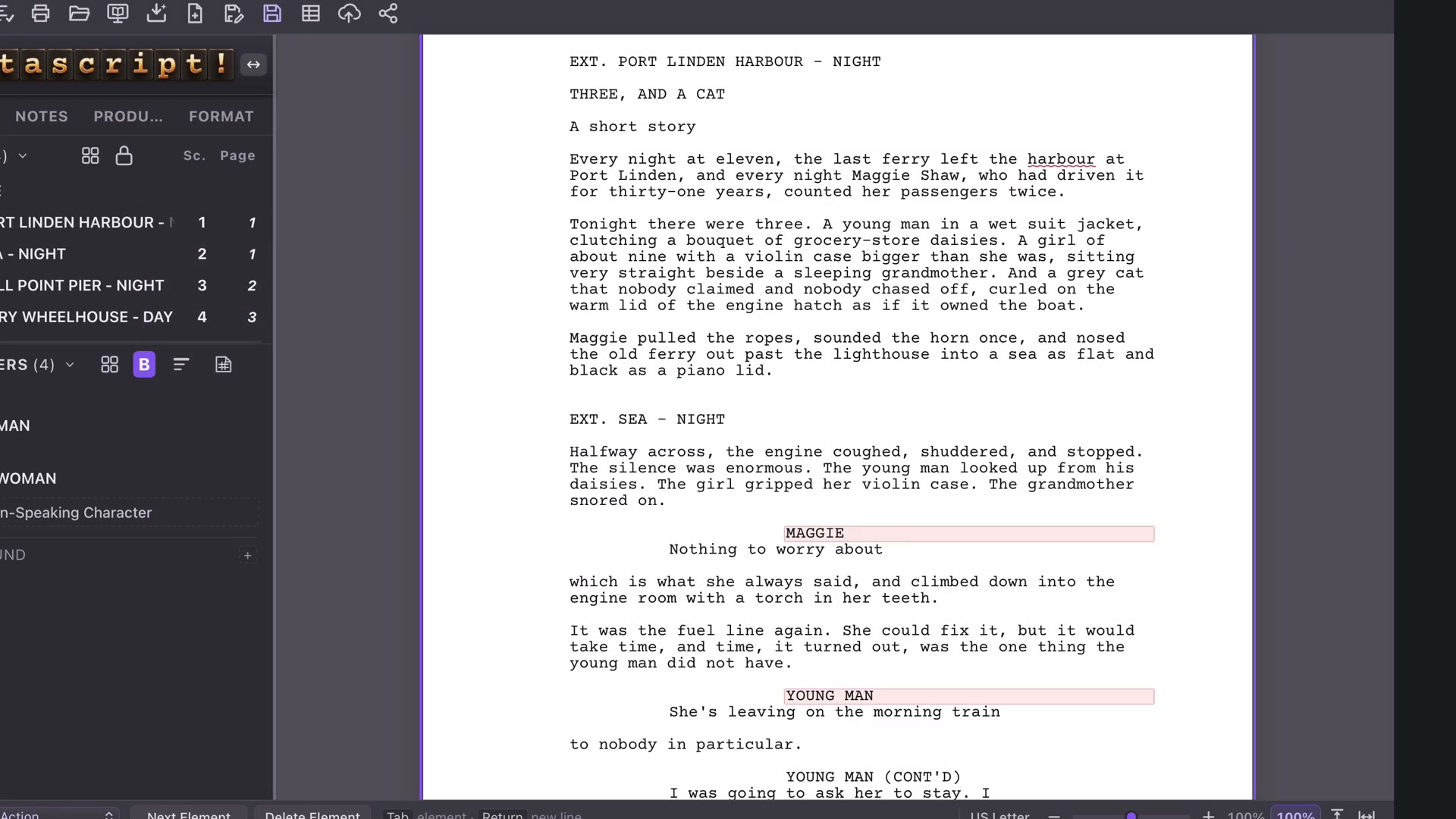
Read against the original: who speaks, what happens and in what order? Tighten prose into visible Action, check character introductions, and use Format Review. If a speaking character needs a first introduction, add the appropriate capitals in Action and check that the flag clears.
Save your working project and keep developing it. Adapt provides a starting draft, not a final creative verdict.