

LESSON 27 · Work with your screenplay
Save & export
Keep an editable master, then prepare the version your reader or production team needs.
2:29 · 1080p · Captions available · Playback starts only when you choose Play.
Save the working project
Use Save: Command+S on Mac or Ctrl+S on Windows. The Attascript project retains the screenplay, title pages, notes and Story material. Save As creates a separately named copy; its shortcut is Shift+Command+S / Ctrl+Shift+S.
Keep that working project even when the recipient needs another format. An exported reading copy is not a replacement for your editable master.
Choose a delivery format
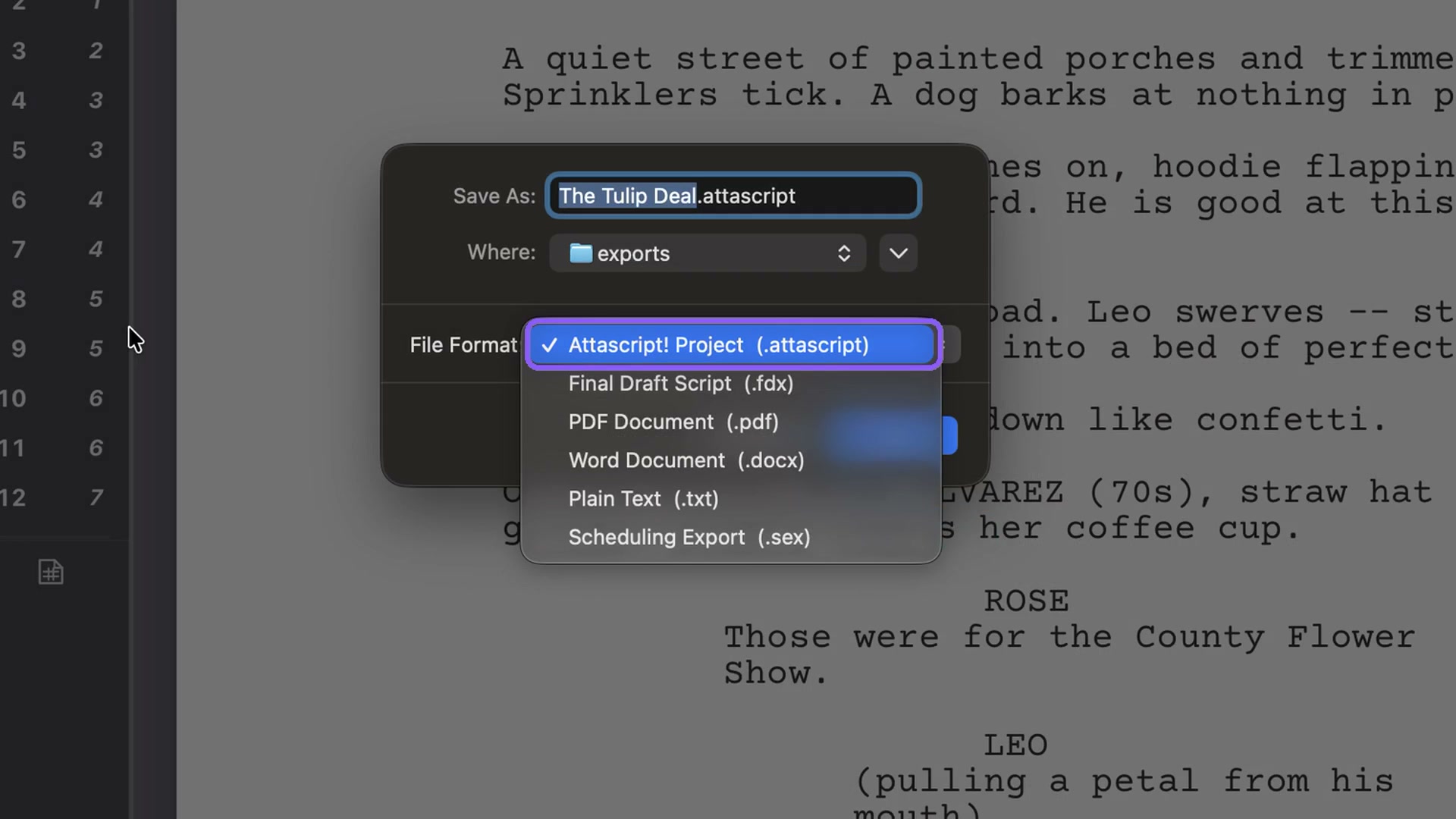
Save As offers Attascript Project, Final Draft, PDF, Word, plain text and a Movie Magic scheduling export. Choose according to the recipient’s intended use.
For a PDF, choose PDF Document, a filename and a destination. Then choose what to include.
Build the reading package
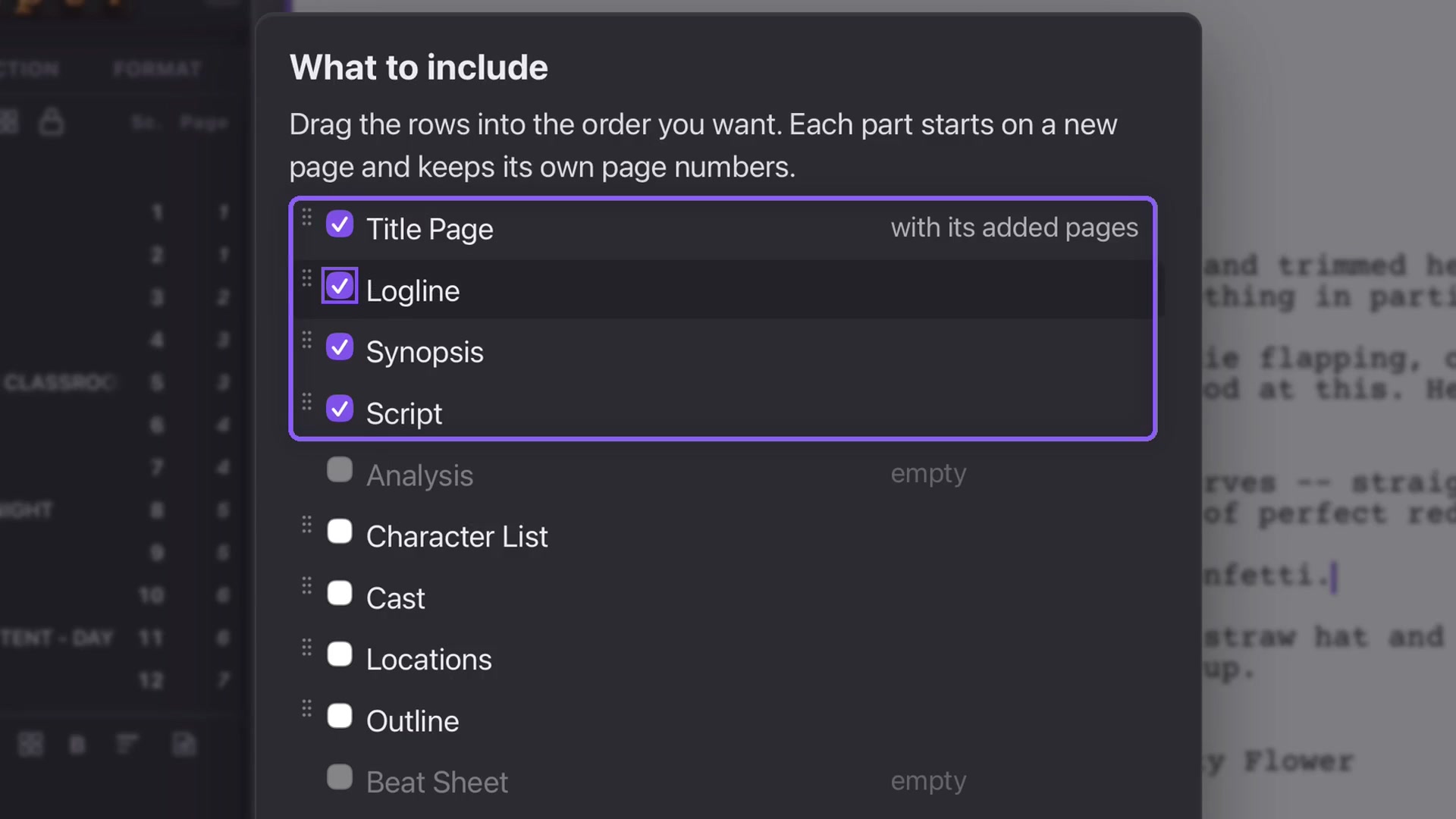
Select Title Page, Script and the Story sections you want. Added title pages travel with the title-page bundle. Empty Story sections are unavailable. Include images brings pictures from selected sections.
Drag the sections into order. For example: title page, logline, synopsis, then screenplay. Each part starts on a new page and keeps its own numbering, so front matter does not change the screenplay’s first page number.
Inspect and print
Open the exported PDF and check the order, title and ending. Print uses the same inclusion choices: Command+P on Mac or Ctrl+P on Windows. Select the required sections, arrange them and print when ready.