LESSON 24 · Develop your story
Locations
Connect the places in the story with time-of-day groups, scene references and visual production notes.
3:12 · 1080p · Captions available · Playback starts only when you choose Play.
Build and inspect the sheet
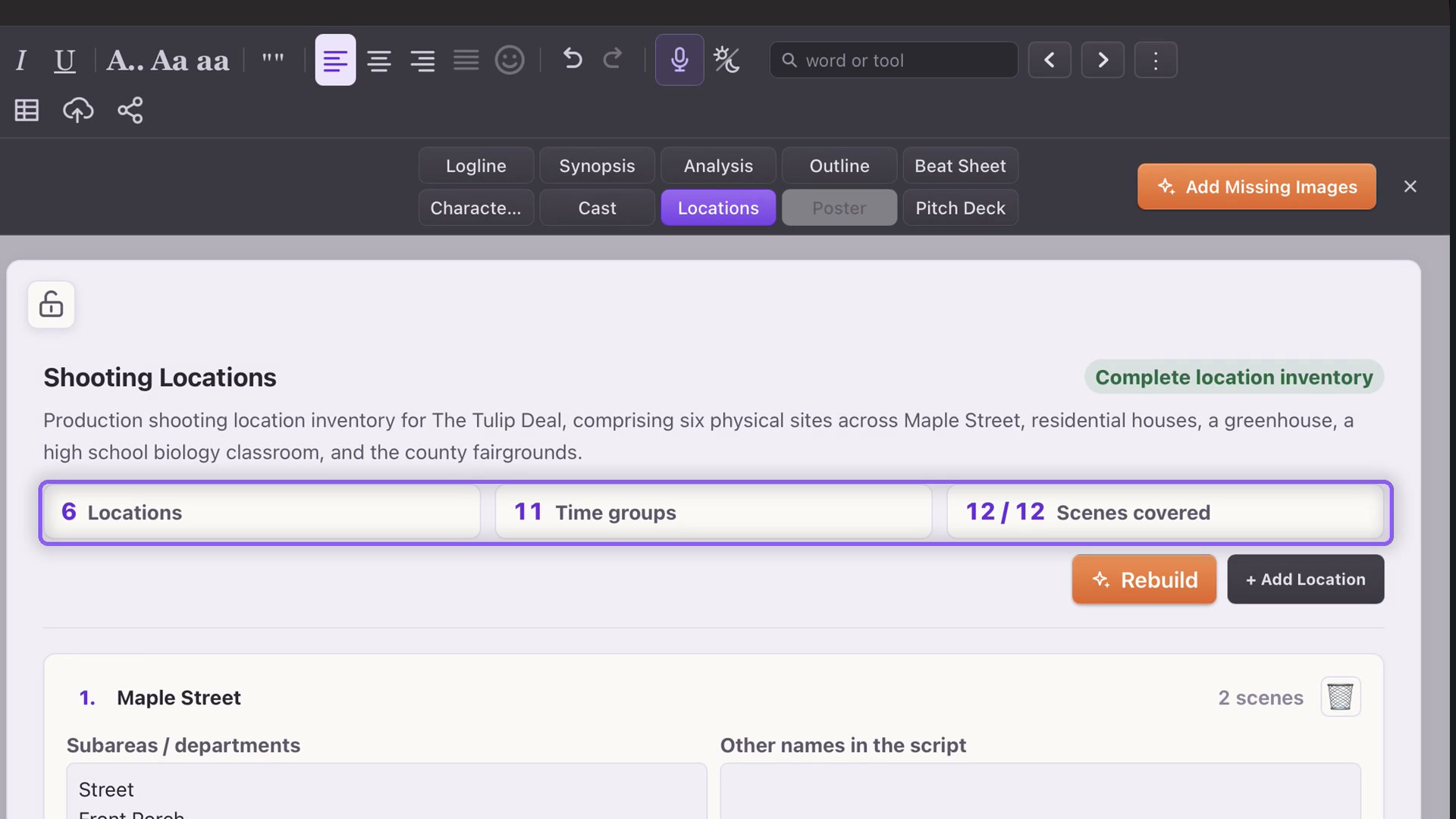
Open Story and Locations. Rebuild reads the screenplay and replaces the location sheet, including manual edits, when a complete replacement is ready. Save a copy first if you need to preserve a prior version.
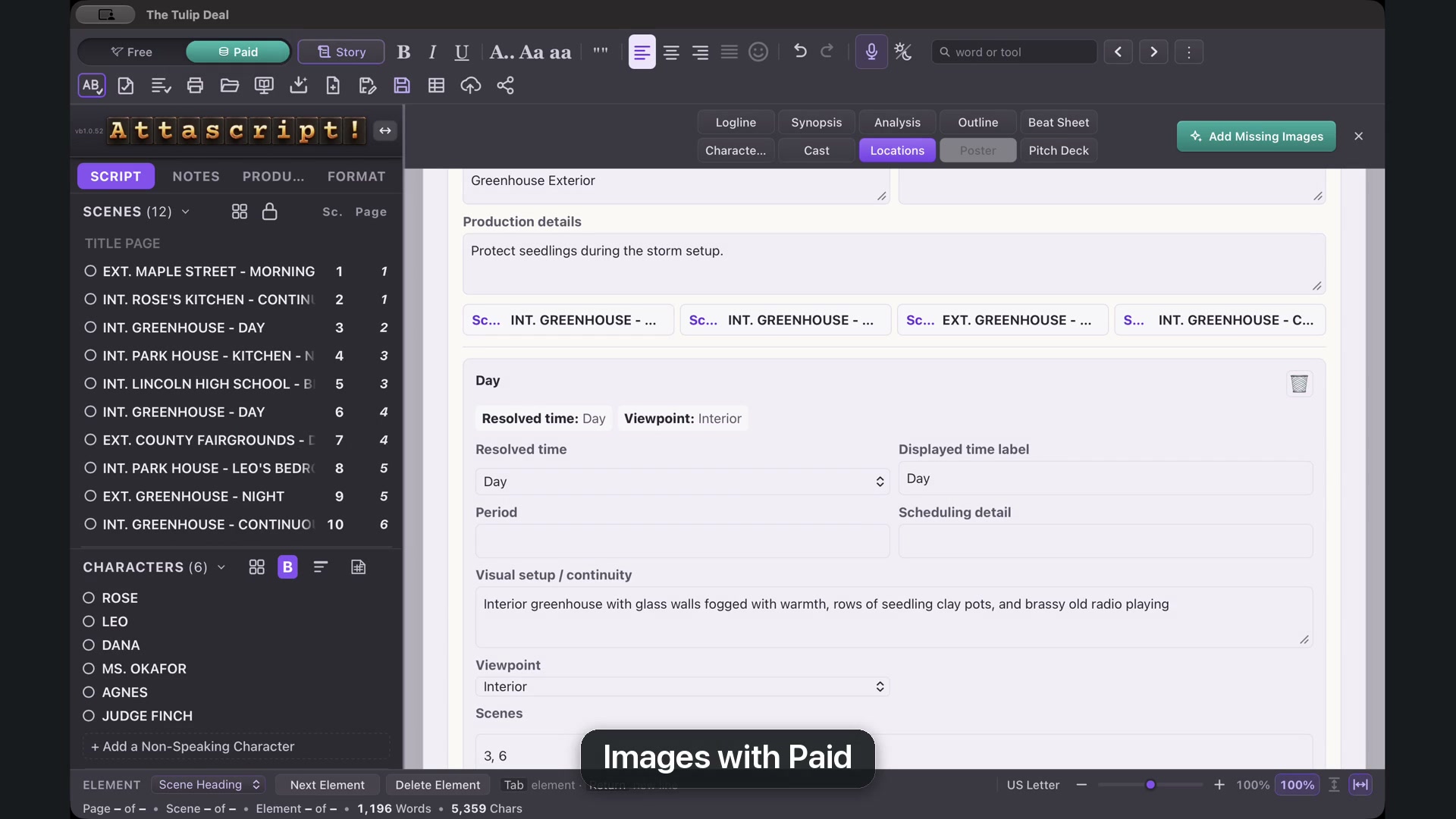
A location can contain several time groups. The greenhouse by day and the greenhouse in a storm need different visual references even though they share a place.
Add practical details
Use Production details for reminders. Groups include the resolved time, the label used in the script, and fields for period, scheduling and visual continuity. Click a linked scene to read its pages, then return to Locations.
Add Location creates a manual entry. Fill its name and details; remove an unused entry with its trash control and confirm Delete.
Work with images
In Paid mode, Add Missing Images fills gaps, while Replace Image requests a new picture for one group. Review the result; Undo can restore the preceding image. Saved images remain part of your project when you return to Free.
You can also paste or drop your own reference images into a slot. Matching pictures appear in Scene Cards, connecting the setting to the relevant scene.