

LESSON 33 · Work with your screenplay
Spelling & Review
Review possible spelling errors and tracked wording changes without giving up control of the screenplay.
1:55 · 1080p · Captions available · Playback starts only when you choose Play.
Work through spelling
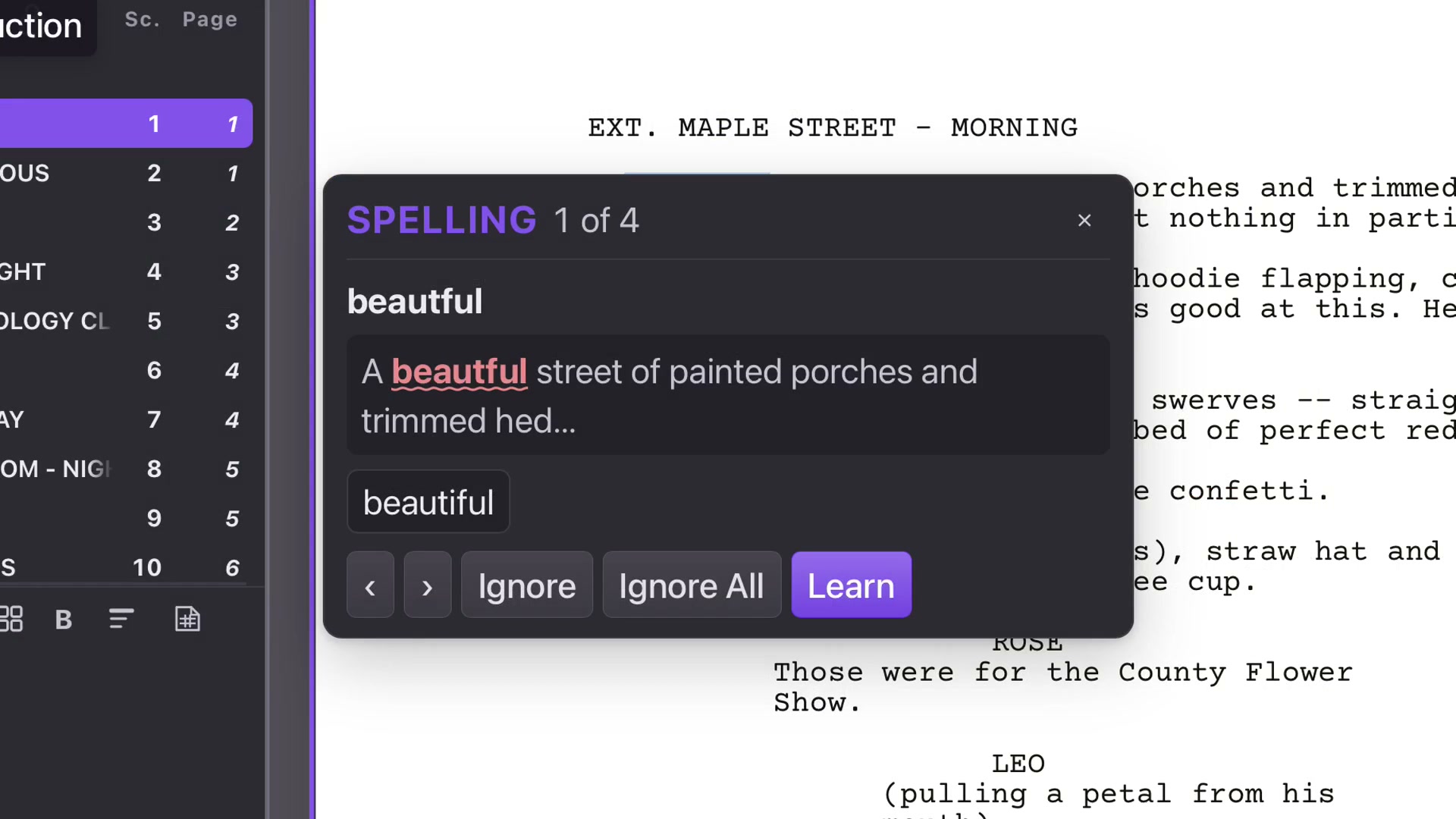
Open Spelling in the top menu. Live Spellcheck underlines possible mistakes on the page. Review Spelling takes you through the flagged words. Read each in context before choosing a suggestion.
Ignore skips the occurrence. Ignore All skips that word throughout the script. Learn adds an intentional word to your dictionary, useful for unusual names. A flag is a prompt to check, not proof that the word is wrong.
Track edits for discussion
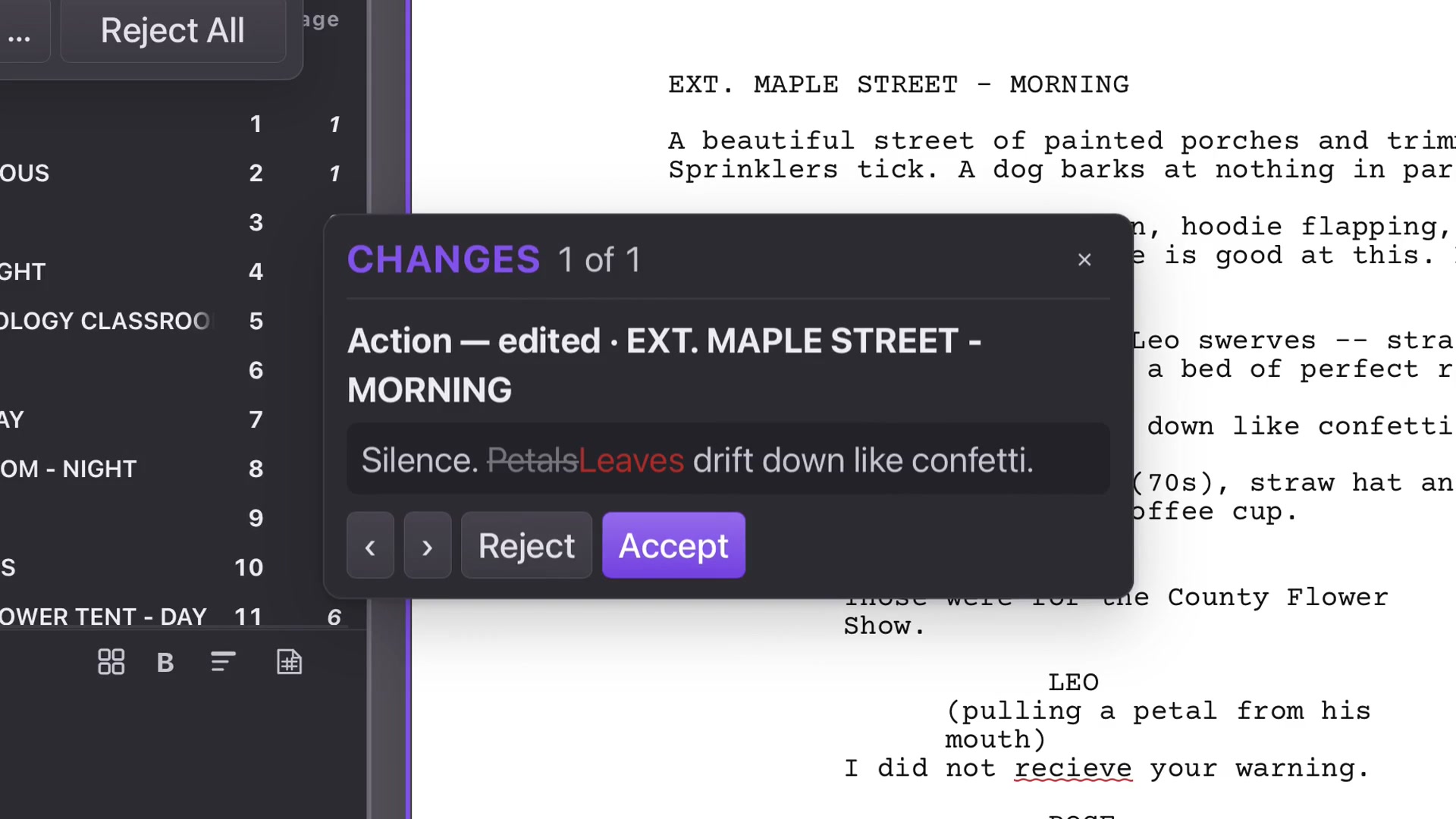
Enable Review Mode to show wording changes in color, with deleted text available for comparison. Review One-by-One presents the old and new wording. Accept keeps an edit; Reject restores the previous wording.
Review Mode is separate from production Revision Mode, which identifies changed pages and revision sets for production.
Ask for another pass
Correct Spelling checks spelling and grammar and proposes tracked corrections. Review the suggestions in context. Accept All and Reject All act on the remaining changes together, so use them only after deciding the scope is appropriate.
Language matters
Choose the intended Primary Language before reviewing spelling. After a profile change, allow the language’s spelling state to refresh. Save when the accepted wording is right, then use Format Review for screenplay conventions.