

LESSON 39 · Make it yours
Write in any language
Choose among 123 primary writing profiles and use the conventions of the screenplay’s language.
1:13 · 1080p · Captions available · Playback starts only when you choose Play.
Choose a profile
In Format, open Primary Language and type to find the language. Select its regional Style where available. This sets the interface and screenplay conventions. It does not translate existing dialogue; Translate to is a separate workflow.
The course demonstrates Spanish, French, Russian, Yoruba, Cantonese, Mandarin, Hindi, Dari, Pashto and Yiddish, among others.
Direction and numerals
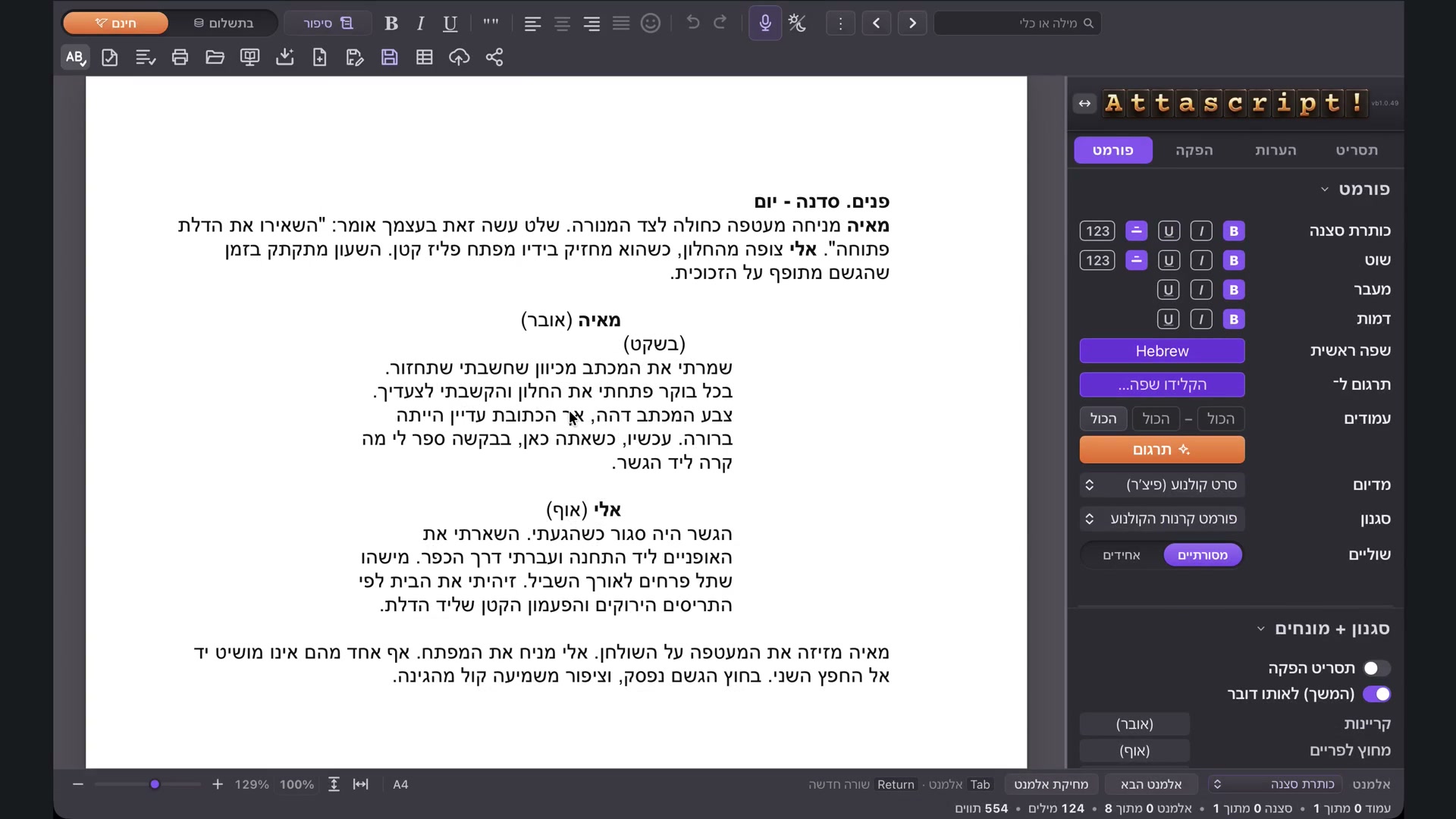
Arabic, Farsi and Hebrew use right-to-left text and move the sidebar to the right automatically. You can choose its side yourself with the sidebar arrows. Hebrew and Arabic examples in the course show scene numbers.
Where traditional numerals are supported, use the profile’s numeral control to choose the required form. Check the actual page, especially before printing.
Vertical layouts
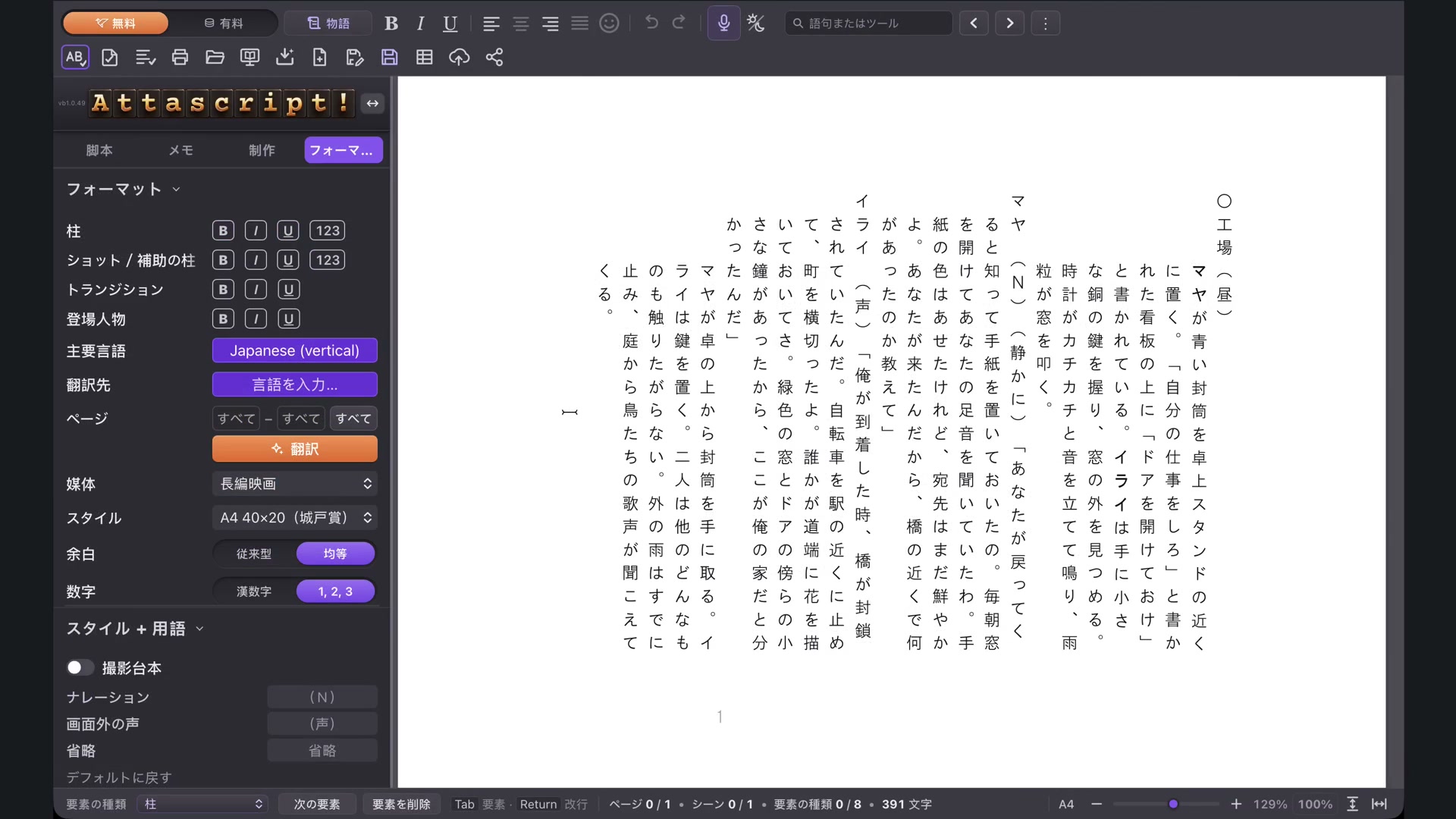
Japanese uses vertical screenplay layouts. Chinese also offers a Vertical Writing control. Choose the intended convention and inspect the page at a useful magnification. Regional and competition styles can have their own formatting requirements.
Preview and continue
Use the website’s Preview page to inspect captured examples before returning to your own screenplay. The app offers 123 primary profiles; regional variants bring the course’s total to 130. Connect Gemini when you need AI tools, and review translation or generated text in its target language.