

LESSON 23 · Develop your story
Cast
Explore a casting wishlist or create original Synthespian portraits, keeping each choice connected to the character.
3:41 · 1080p · Captions available · Playback starts only when you choose Play.
Start with the role
Open Story and Cast. The statistics show dialogue share, scene appearances and estimated screen time. Use them to understand the weight of a role. Write or edit the character description before asking for casting ideas; the description helps explain what kind of performance you need.
Suggest or decide
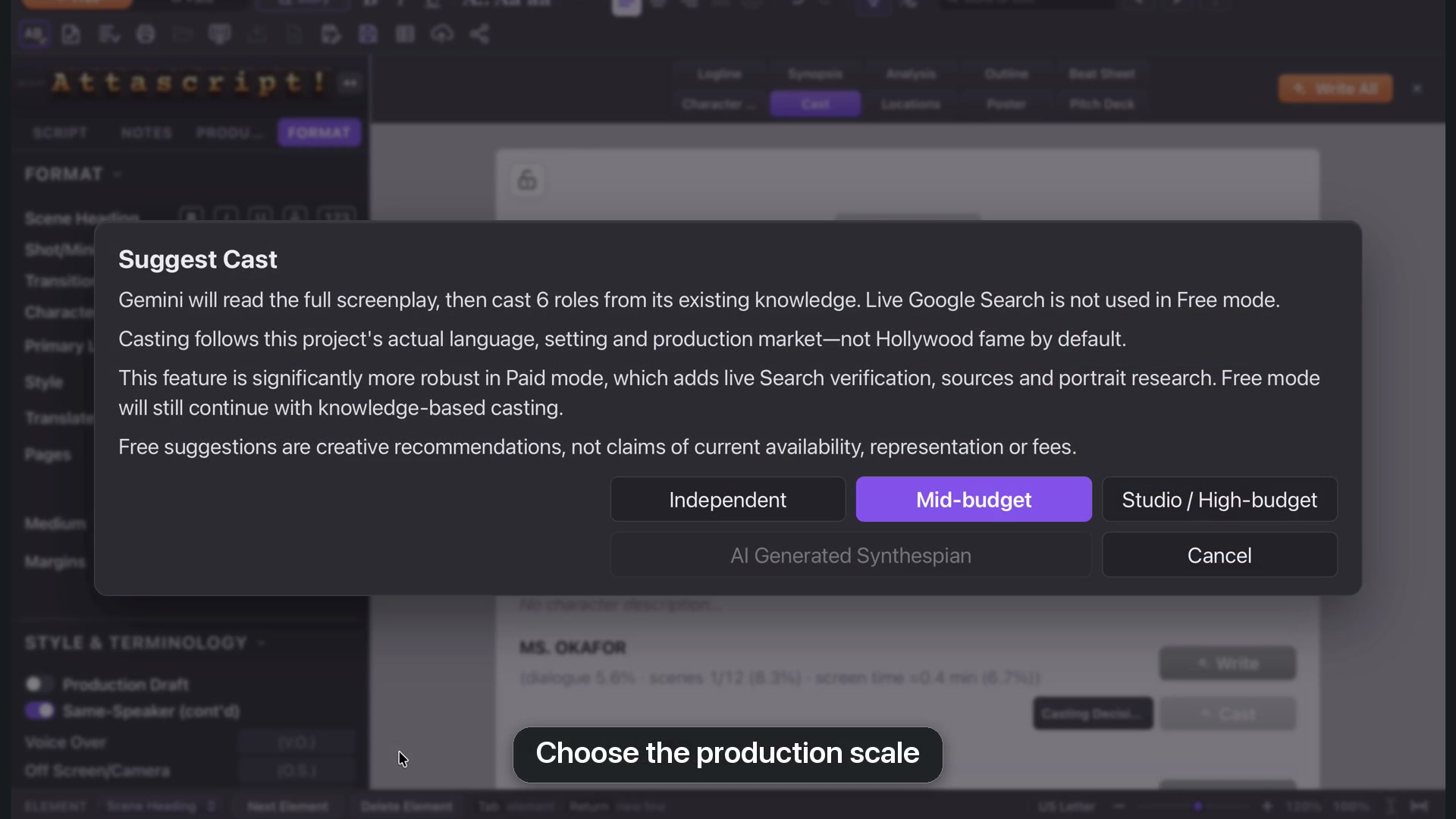
Suggest Cast offers production scales such as Independent, Mid-budget and Studio. Free mode uses the model’s existing knowledge; Paid adds live search verification and sources. A suggestion is a creative possibility, not confirmation of availability or fees.
Casting Decision lets you enter your own actor and reason. Recast can be guided with preferred or excluded performers, or a description of the energy you want. Review the explanation instead of relying on the name alone.
Add a missing photo
A blank photo can mean the service could not verify an image as free to use. The web-search button opens images of that actor. Choose an image you have permission to use, copy it, return to Attascript and click the empty image area to paste. You can also choose a file or drop a photo into the slot.
The reference is kept as a local project image. The course blurs real actors’ photos; its original AI portraits can be shown clearly.
Create Synthespians
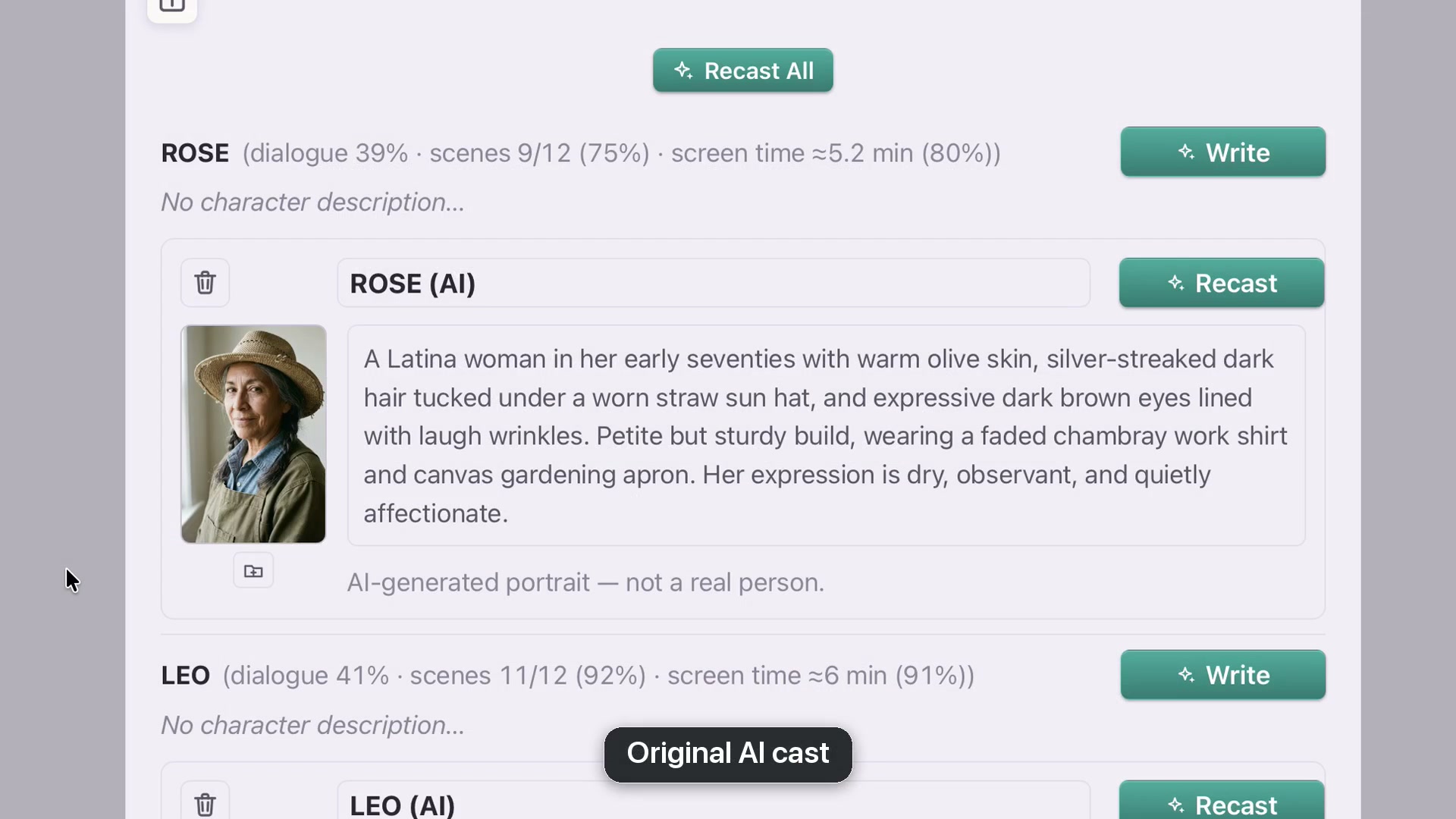
In Paid mode, choose AI Generated Synthespian. The model chooses a consistent visual approach for the cast and creates an original portrait for each role. The choice is unavailable in Free mode.
The row labels the name as AI and identifies the portrait as not a real person. Edit the appearance description to guide a later Recast. These images can appear in the Pitch Deck, credited as AI-generated portraits.
Keep the board
Lock Characters makes the board read-only. Unlock before editing and save the project to preserve descriptions, choices and images.