

LESSON 16 · Develop your story
Meet the Story page
The Story page brings the screenplay’s pitch, analysis and visual development material into one place.
1:49 · 1080p · Captions available · Playback starts only when you choose Play.
Follow the two rows
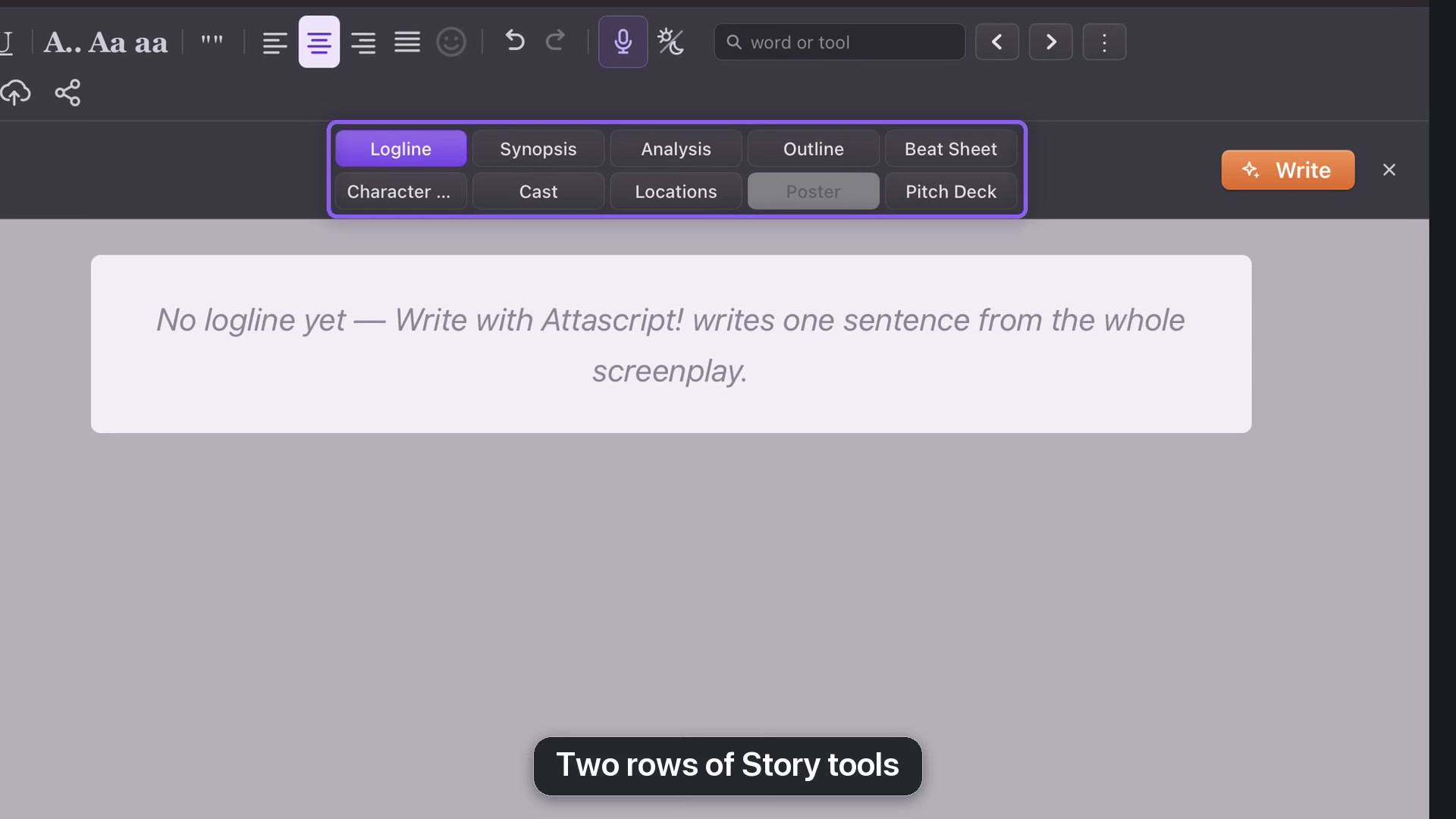
The top row runs Logline, Synopsis, Analysis, Outline and Beat Sheet. The bottom row runs Character List, Cast, Locations, Poster and Pitch Deck. The course follows that order.
Logline and Synopsis help explain the story. Analysis, Outline and Beat Sheet help examine it. Character List, Cast and Locations organize its people and places. Poster and Pitch Deck present it visually.
Write, review and edit
Most pages offer Write to generate material from the screenplay. Longer reports such as Synopsis, Analysis and Beat Sheet need enough source material; the English example uses a minimum of a thousand words for these longer tools.
You can also click into editable text and write yourself. Use Bold, Italic and alignment when appropriate. Read generated material before using it as a statement about your story.
Images and prerequisites
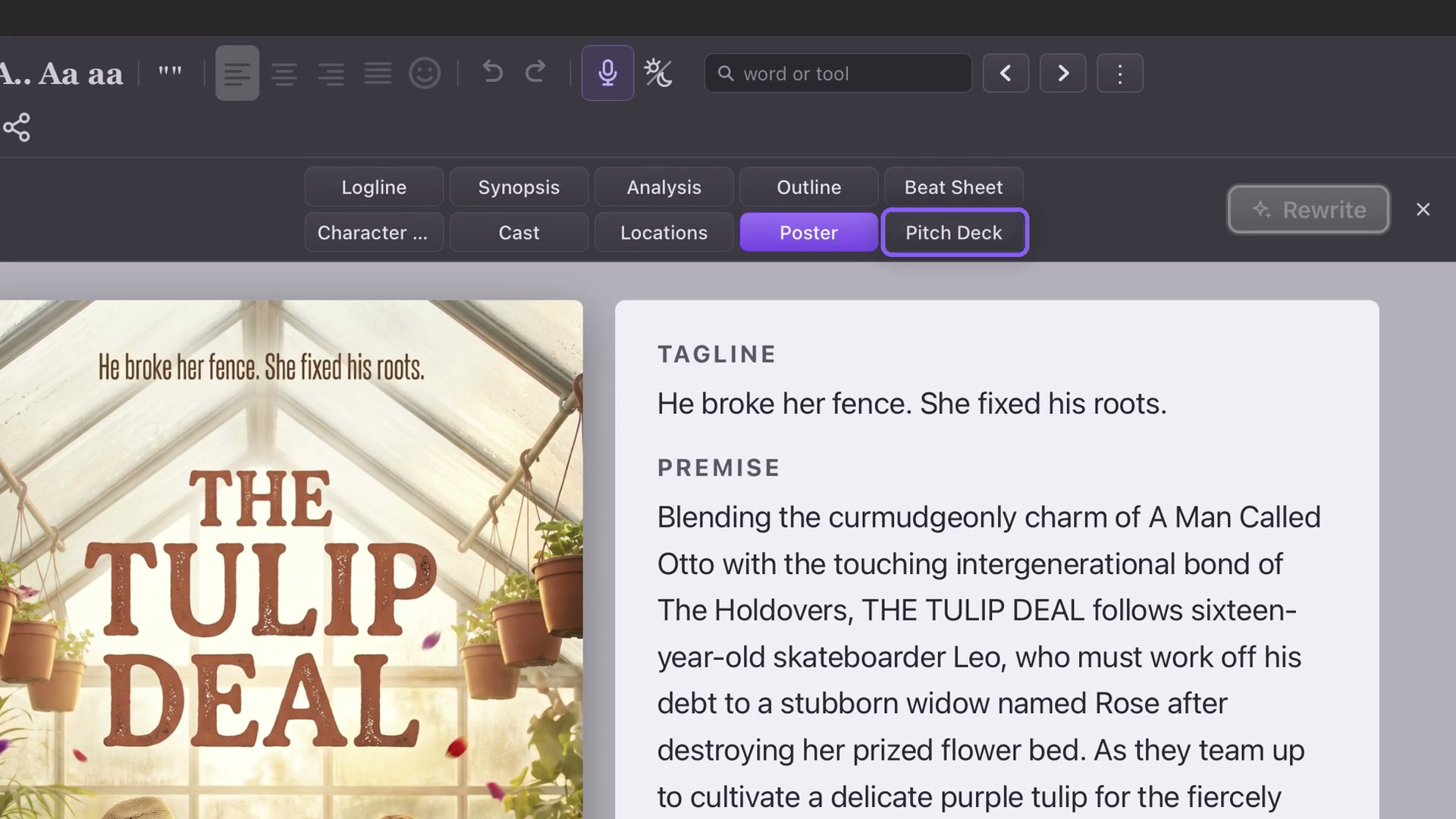
Creating or repainting a poster requires Paid mode. Once saved, the poster remains viewable and downloadable in Free mode. Pitch Deck becomes available when a poster exists. Casting photos are optional additions to a deck, not its prerequisite.
Move between pages
When you are not typing, left and right arrows move among Story views. Escape leaves text editing; another Escape returns to the screenplay. The close control is another way back. Save the project to keep the material with your draft.