

LESSON 26 · Develop your story
Pitch Deck
Build an editable PowerPoint presentation and a companion PDF from the screenplay, poster and optional visual material.
3:24 · 1080p · Captions available · Playback starts only when you choose Play.
Prepare the project
The poster comes first: without one, Pitch Deck is unavailable. Cast photos are optional. Prepare a casting wishlist or original Synthespian portraits if you want faces on the character slides. Existing Locations images can illustrate the world.
Check the title-page writer and contact details; the presentation uses them. The course uses The Tulip Deal with its saved poster, locations and fictional cast.
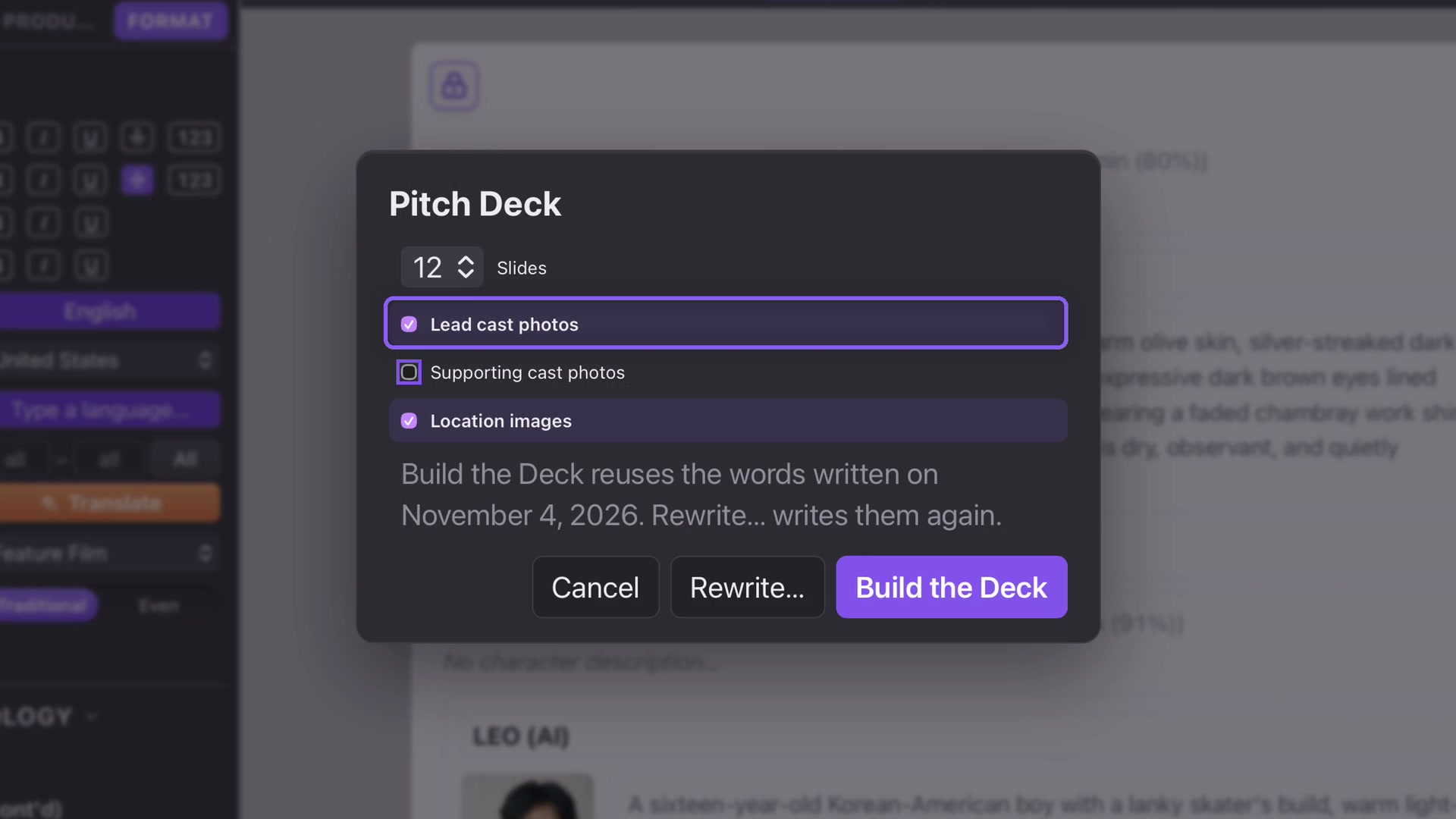
Choose and build
- Open Story and Pitch Deck, the final key in the second row. File → Pitch Deck or a search for “pitch” opens the same options.
- Choose 8–20 slides; 12 is the default.
- Choose Lead cast photos, Supporting cast photos and Location images. A cast switch is unavailable when its characters have no portraits.
- Select Build the Deck. Gemini writes the text in the screenplay’s language; Attascript then builds the slides.
- Save the .pptx. A PDF is saved beside it automatically.
Building the text works in Free or Paid mode. The deck’s Gemini request sends screenplay text, not the project’s pictures. Creating the poster itself requires Paid.
Review the presentation
The default sequence covers the poster, logline, synopsis, writer’s statement, tone and world, lead characters, supporting cast, key beats, comparable titles, audience appeal, format figures and contact details.
Review the writer’s statement as a draft of your intentions, not a statement you must accept. Check comparable-film claims and running-time estimates. Synthespian images receive AI-generated credits; real actors remain a casting wishlist.
Build again or rewrite
Once the deck text is saved, Build the Deck reuses it without a new Gemini request. Use it to change the slide count or image choices.
Rewrite sends a new request with your note. The course switches to Free and asks: “Make the colors resemble tulips, and keep the texts unchanged.” Review the resulting palette and wording. This appearance applies to that deck; a later Build the Deck returns to the usual dark style.

Finish in PowerPoint
Open the .pptx in PowerPoint on Mac or Windows; Keynote on Mac can open it too. Text remains editable. Make your finishing changes and export a fresh PDF so the file you send reflects those edits.